

Overview
Call control actions give your AI agents the ability to manage conversation lifecycle and routing. These essential actions enable agents to transfer calls when specialized help is needed and end conversations professionally when objectives are met. Every voice agent should have call control actions configured to handle common scenarios like escalation requests and conversation completion.Transfer Call
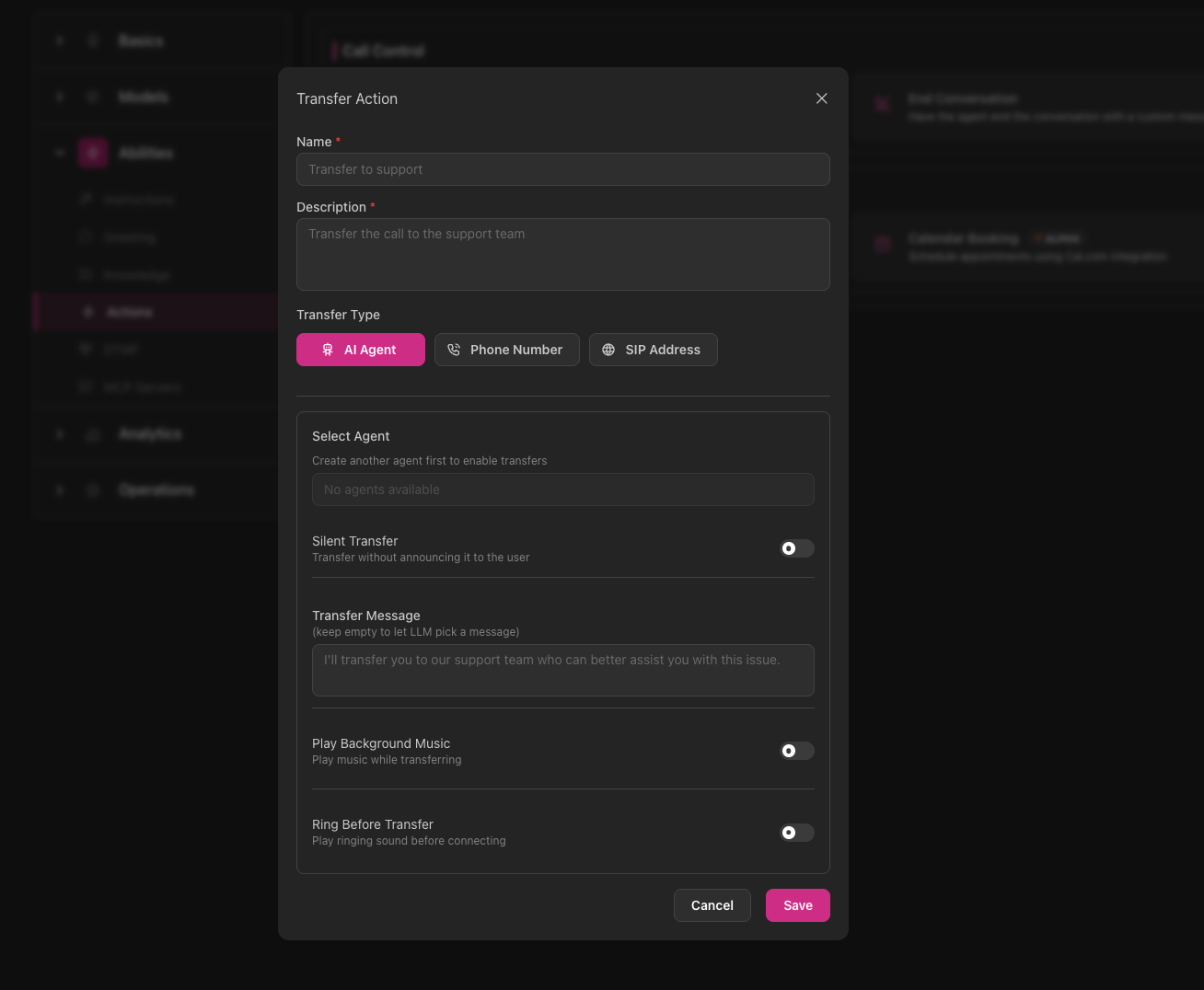
The Transfer action enables your agent to route active calls to other AI agents, phone numbers, or SIP addresses when situations require it.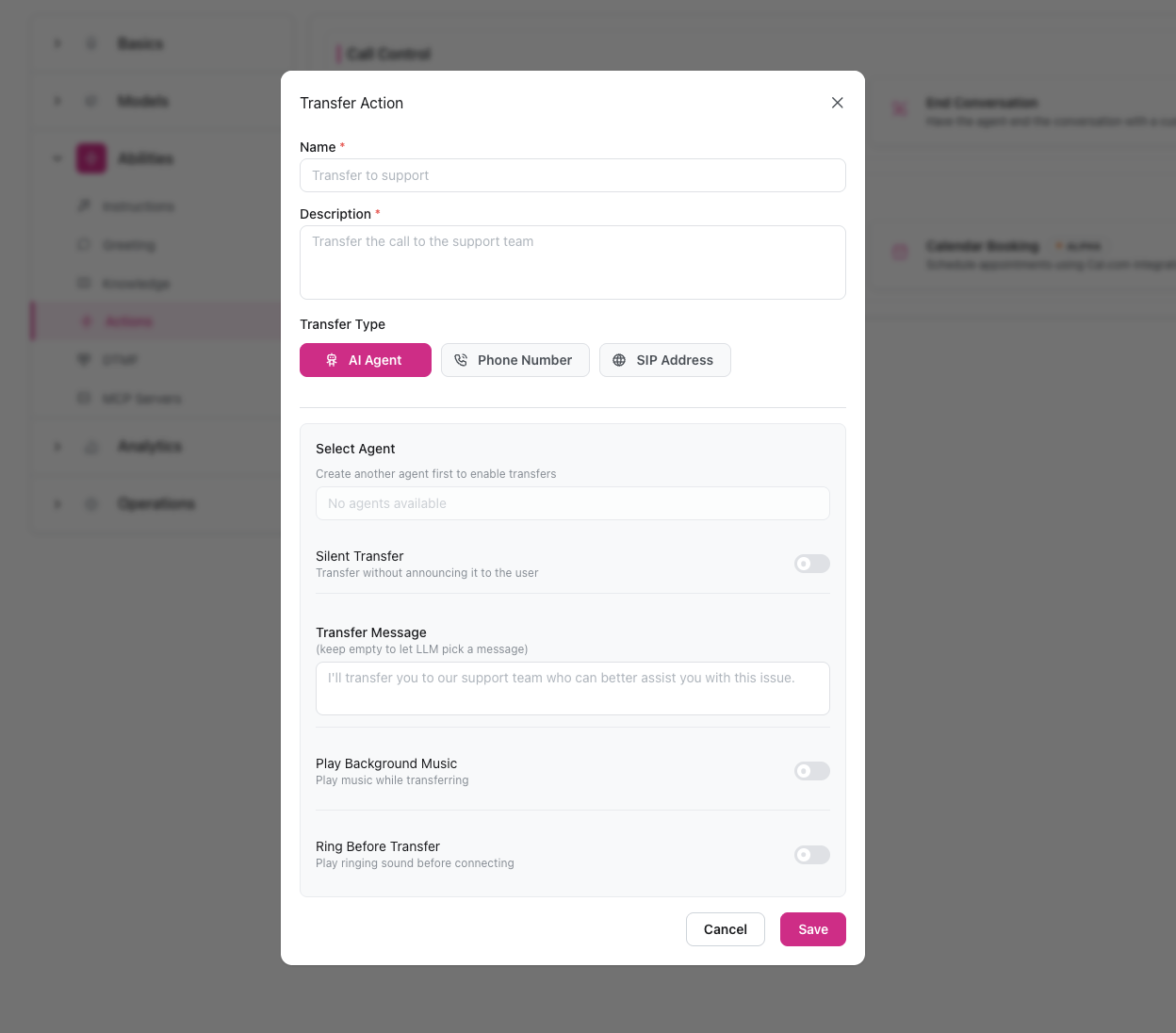
When to Use
- Customer asks to speak with a human or specific department
- Issue is beyond agent’s knowledge or capabilities
- Request requires specialized expertise
- Different AI agent is better suited for the request
Configuration
Add Transfer Action
Navigate to Abilities → Actions in Call Control category and click Add on Transfer Call
Name the Action
Give it a clear, descriptive name like “Transfer to Support” or “Transfer to Billing”
Add Description
Describe what this transfer does: “Transfers to another AI agent, phone number, or SIP address”
Configure Destination
Set up your transfer destination (see Transfer Details for complete configuration options)
Using in Instructions
Reference the transfer action by its exact name in your agent’s instructions (system prompt):See the Transfer Details page for advanced configuration including transfer modes, multiple destinations, and SIP routing.
End Conversation
The End Conversation action allows your agent to terminate calls professionally when conversation objectives are met or when ending is appropriate.When to Use
- Customer’s question answered or task completed successfully
- Appointment scheduled and confirmed
- Customer indicates they don’t need additional help
- Request is completely outside agent’s purpose
Configuration
Add End Conversation Action
Go to Abilities → Actions in Call Control category and click Add on End Conversation
Add Description
Describe when this should be used: “Have the agent end the conversation with a custom message”
Set Goodbye Message (Optional)
Optionally provide a default farewell message:“Thank you for calling! Have a great day.”Leave blank to control the message entirely through your agent instructions.
Using in Instructions
Best Practices
Ask for Confirmation Before Actions
Ask for Confirmation Before Actions
Prompt agents to ask for user confirmation before executing actions to avoid announcing actions that execute on the next turn.Good:Poor:
Always Explain Before Transferring
Always Explain Before Transferring
Never transfer calls without context. Agents should explain why they’re transferring, set expectations, and confirm.Good:Poor:
Confirm Before Ending
Confirm Before Ending
Always ask if there’s anything else before ending calls to prevent customers from feeling rushed.Good:Poor:
Use Descriptive Action Names
Use Descriptive Action Names
Create multiple actions for different scenarios with clear names that match how you’ll reference them in instructions.Good:
- “Transfer to Billing Department”
- “Transfer to Technical Support”
- “End Call Politely”
- “Transfer 1”
- “End”