

Overview
Business hours control when outbound campaigns can place calls, ensuring calls only happen during appropriate times. Key benefits:- Compliance: Meet legal requirements like TCPA (8am-9pm local time in the U.S.)
- Customer experience: Avoid calling during inconvenient hours
- Cost optimization: Focus calling during high-answer-rate windows
- Timezone management: Respect local time across regions
How Business Hours Work
Business hours are configured separately and then assigned to campaigns. This allows you to:- Reuse the same business hours across multiple campaigns
- Manage schedules centrally (e.g., “DACH Business Hours”, “24/7 Support”)
- Configure holiday closures once for all campaigns
Creating Business Hours
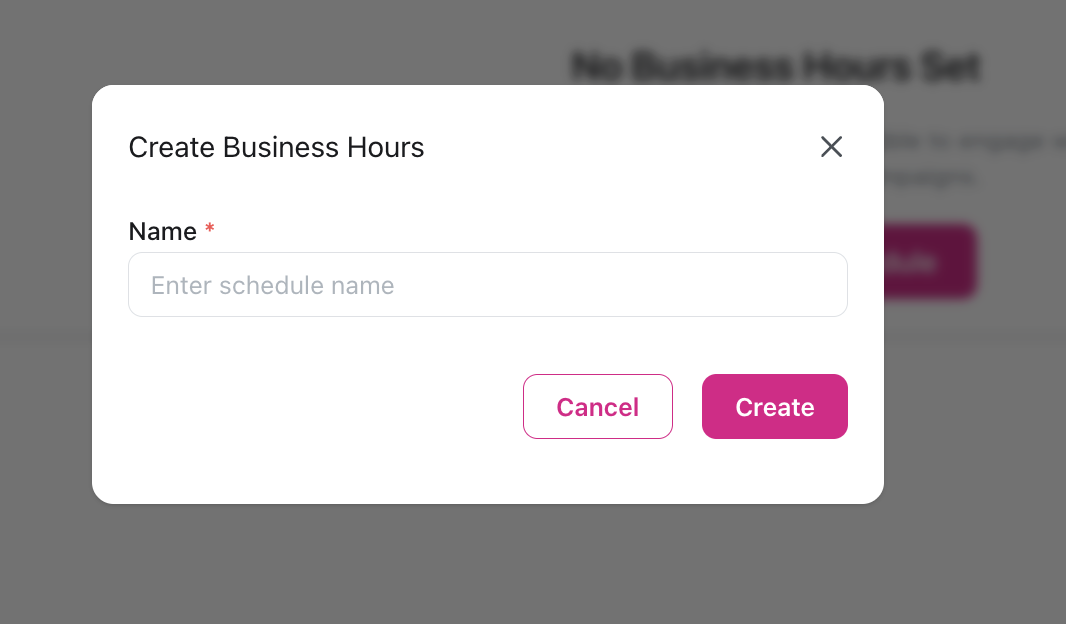
Configure basic settings
- Name: Descriptive name (e.g., “Standard DACH Hours”, “Weekend Sales”)
- Timezone: Select timezone (e.g., Europe/Berlin, Europe/Vienna, Europe/Zurich)
- Set as Default: Optionally mark as default for new campaigns
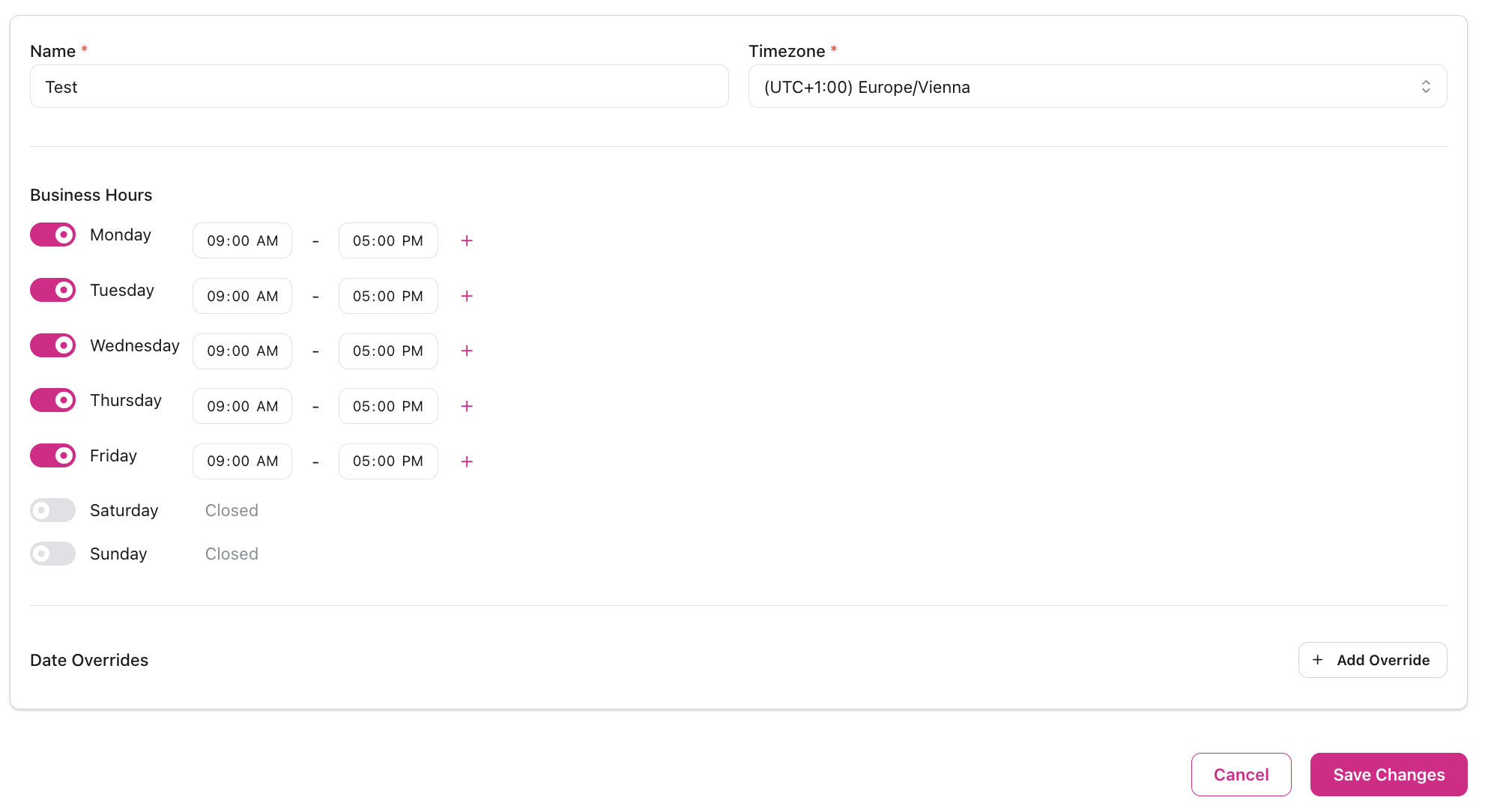
Set weekly schedule
For each day of the week:
- Toggle day active/inactive
- Set start and end times (default: 09:00-17:00)
- Add multiple time windows per day if needed
- Mon-Fri 9am-5pm: Standard office hours
- Mon-Fri 9am-6pm, Sat 10am-2pm: Extended availability
- Mon-Thu 8am-8pm, Fri 8am-6pm: DACH typical business hours
Assigning to Campaigns
When creating or editing a campaign:- Find the Business Hours field
- Select from your configured business hours
- Leave empty for 24/7 operation
DACH Business Hours Examples
Common DACH Configurations
Common DACH Configurations
Standard Office Hours (Germany/Austria/Switzerland)
- Mon-Fri 9:00-17:00: Conservative, compliant with all regulations
- Mon-Fri 8:00-18:00: Extended for better reach
- Mon-Thu 8:00-20:00, Fri 8:00-18:00: Maximum legal window in Germany
- New Year’s Day (Jan 1)
- Good Friday, Easter Monday
- Labor Day (May 1)
- German Unity Day (Oct 3)
- Christmas (Dec 25-26)
Holiday and Special Schedules
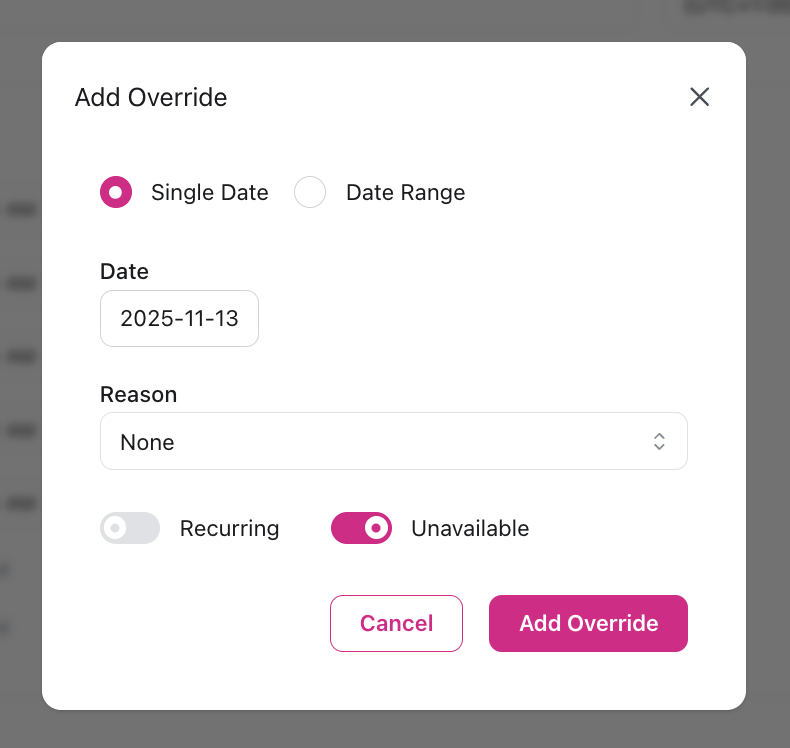
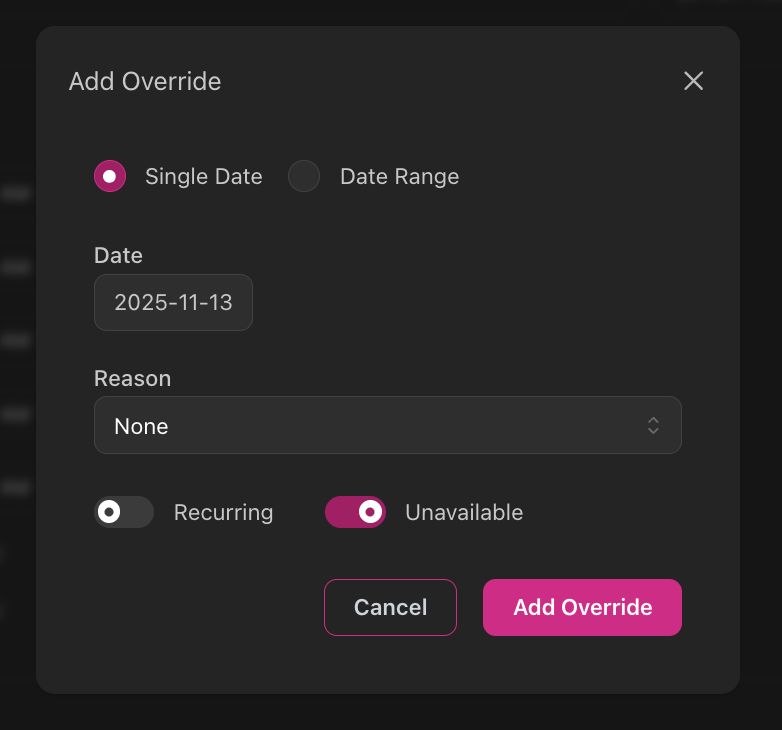
For campaigns that run over weeks or months:Add date overrides
Configure holiday closures in your business hours:
- Add date override for each holiday
- Mark as Recurring to repeat annually
- Set Is Closed to block calls on those dates
Best Practices
Answer Rate Optimization
The campaign dashboard provides a weekly heatmap showing answer rates for every hour, making it easy to identify the best times to call.Review the heatmap
After your first 50-100 calls, check the campaign dashboard’s answer rate heatmap to see which hours perform best.
Adjust business hours
Update your business hours configuration to focus on high-performing time windows shown in the heatmap.
Compliance & Legal Requirements
DACH Region Regulations
Germany (UWG & DSGVO)
Germany (UWG & DSGVO)
Germany’s Gesetz gegen den unlauteren Wettbewerb (UWG) governs telemarketing alongside GDPR (DSGVO).B2C (Consumers):
- Prior explicit consent required - Cold calling to consumers is prohibited without consent
- No presumed consent exists
- Business Hours: 8 AM to 9 PM local time (weekdays recommended)
- Providing a phone number in public directories does NOT constitute consent
- Allowed under presumed consent if:
- Prospect has documented interest in your product/service
- Interest must be concrete, not abstract
- You can demonstrate presumed agreement to be called
- Documentation is critical - Keep records of demonstrated interest
- BNetzA (Federal Network Agency) enforces violations
- Fines up to €300,000 per violation
- Automated dialing systems (robocalls) prohibited without consent
- Verify you have documented consent or legitimate business interest
- Set business hours to 8 AM - 9 PM (Europe/Berlin timezone)
- Keep detailed records of consent source and date
- Never call numbers on opt-out lists
Austria (TKG)
Austria (TKG)
Austria’s Telecommunications Act (TKG 2021) implements strict cold calling rules.B2C (Consumers):
- Cold calling is prohibited - No presumed consent framework exists
- Stricter than Germany - explicit opt-in required
- ECG opt-out list - National do-not-call registry
- More lenient than B2C but still requires justifiable business relationship
- Document business connection before calling
- While not explicitly mandated, follow German standards: 8 AM - 9 PM local time
- Avoid weekends for cold outreach
- Use Europe/Vienna timezone for Austrian campaigns
- Configure Mon-Fri 9 AM - 6 PM for conservative compliance
- Verify contacts are not on ECG opt-out list
Switzerland (UCA)
Switzerland (UCA)
Switzerland’s Unfair Competition Act (UCA) governs telemarketing.Key Requirements:
- Asterisk opt-out: Anyone can register their number with an asterisk (*) in the phone directory to opt out
- Calling opted-out numbers is unfair unless pre-existing business relationship exists
- Caller ID display required: Must show registered, authorized phone number
- No specific legal hours, but best practice: 8 AM - 8 PM weekdays
- Respect business relationship context for timing
- Switzerland is not EU, but Swiss law heavily influenced by GDPR
- Apply similar data protection standards
- Use Europe/Zurich timezone
- Configure Mon-Fri 9 AM - 6 PM
- Ensure your caller ID is properly registered
- Keep records of business relationships
Other European Regulations
EU ePrivacy & GDPR
EU ePrivacy & GDPR
For campaigns targeting other EU countries, comply with the ePrivacy Directive (2002/58/EC) and GDPR (2016/679):
- Prior opt-in required for marketing calls in most EU countries
- Business Hours: No EU-wide standard, but respect cultural norms
- Recommended: Mon-Fri 9 AM - 6 PM local time
- Avoid lunch hours (12-2 PM in many countries, especially France, Spain, Italy)
International Regulations
U.S. TCPA
U.S. TCPA
For campaigns targeting U.S. consumers, comply with the Telephone Consumer Protection Act (47 USC § 227):
- Time Restrictions: 8 AM - 9 PM recipient’s local time
- Applies to B2C marketing/sales calls
- Exemptions: Transactional calls, B2B, prior consent
- Fines: Up to $43,792 per violation
- FCC TCPA Rules
Canada (CASL)
Canada (CASL)
Canada’s Anti-Spam Legislation (CASL) governs commercial electronic messages:
- Prior consent required for commercial calls
- Provincial regulations vary
- Best practice: 8 AM - 9 PM local time
- Quebec has additional consumer protection rules
- Enforced by CRTC
Australia (Do Not Call Register Act)
Australia (Do Not Call Register Act)
Australia’s Do Not Call Register Act 2006 establishes strict telemarketing rules:
- Time Restrictions: Mon-Fri 9 AM - 8 PM, Sat 9 AM - 5 PM (no Sunday calls)
- Based on recipient’s local time
- Heavy fines for violations
- Must check against Do Not Call Register
- Managed by ACMA (Australian Media and Communications Authority)