

Overview
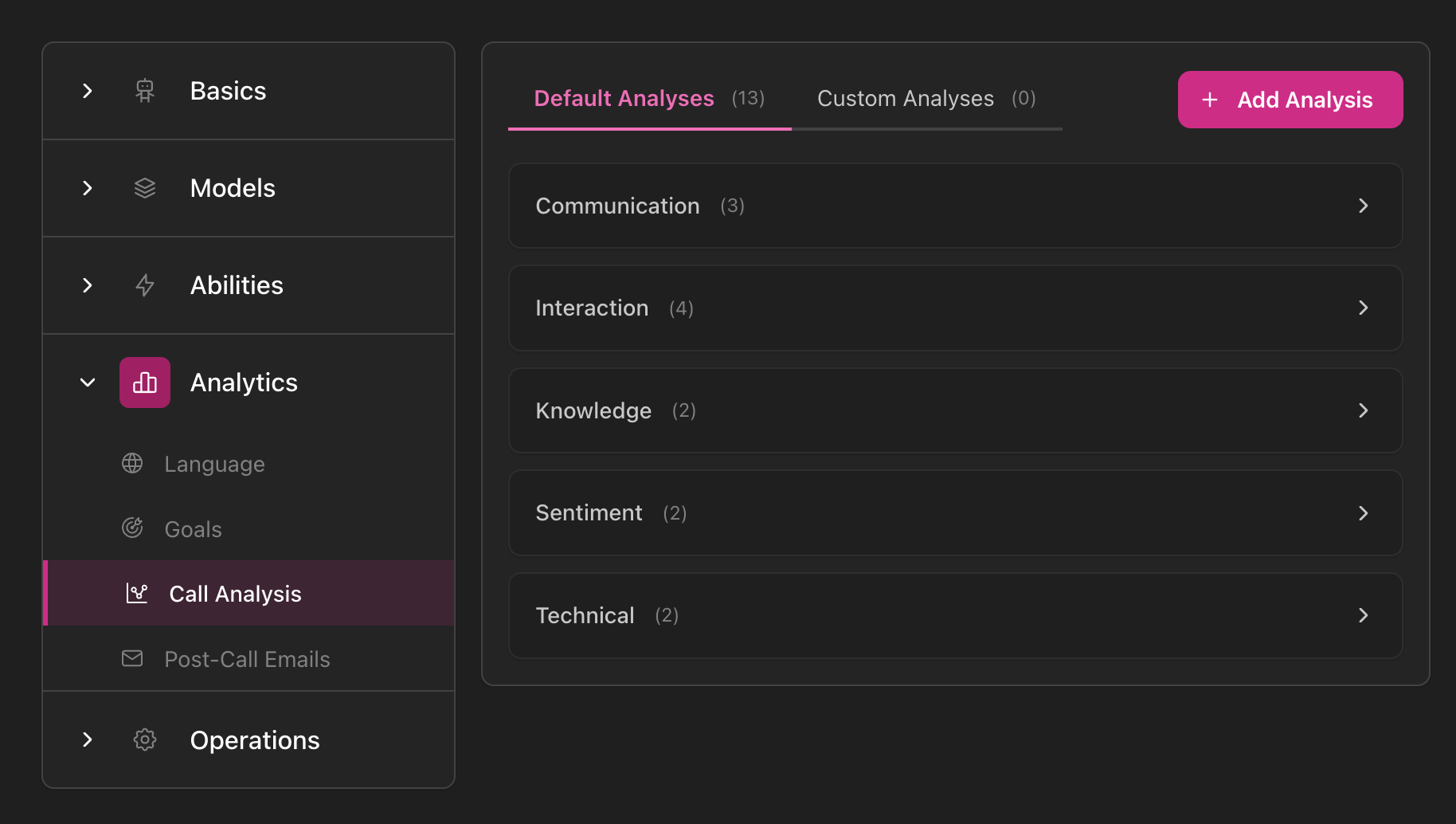
Post-call analysis uses AI to extract structured information from conversation transcripts. Define what you want the AI to analyze (quality scores, sentiment, categories, extracted data) and get consistent, actionable insights from every call. Access: Agent settings → Call Analysis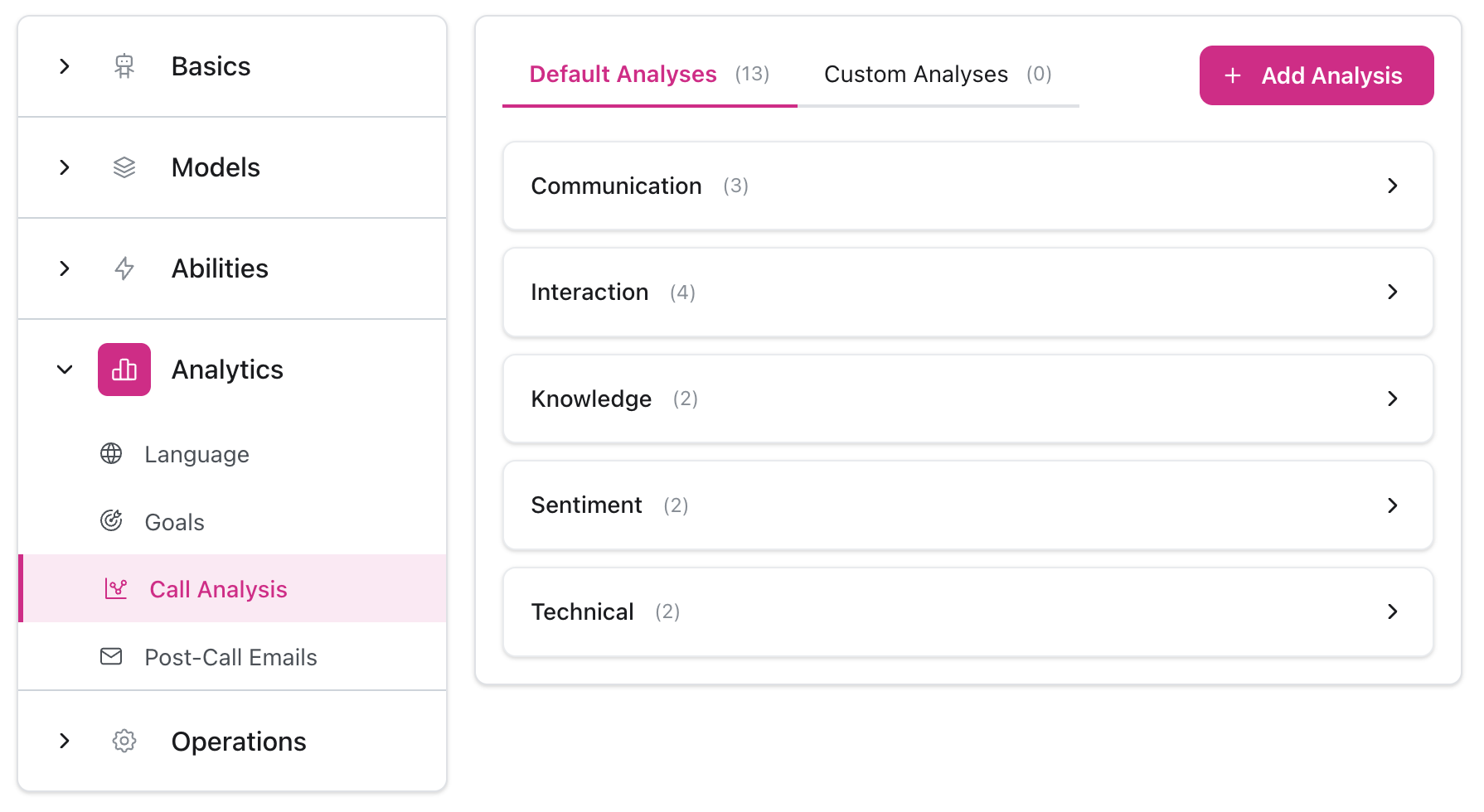
Analysis Language
Set the language for AI analysis evaluation: Access: Agent settings → Analytics → Language Select the language in which goals and analytics will be evaluated. This determines what language the AI uses when analyzing transcripts and answering analysis questions. Example: If you set analysis language to Spanish, the AI will evaluate conversations in Spanish, even if your agent speaks English to customers.Standard vs Custom Analysis
Standard Analyses - Pre-configured by itellicoAI, always available:- Cannot be edited or archived
- Toggle on/off with Active switch
- Optimized for common use cases
- Full control over name, description, and type
- Can edit, archive, and restore
- Tailored to your specific business needs
Standard analyses provide a starting point. Create custom analyses for your unique requirements.
Setup
Configure question
Name: Internal identifierDescription: The question AI will answer (be as specific as possible)
Question Types
- Yes/No
- Open
- Rating
Binary answer questions for clear metrics.Best for:
- Compliance checks
- Quality verification
- Feature usage detection
- ✅ “Was payment information collected?”
- ✅ “Did the agent follow the script?”
- ✅ “Was the caller transferred?”
- ✅ “Did customer agree to the offer?”
Examples
Customer Satisfaction
Customer Satisfaction
Name: Customer Satisfaction ScoreType: Rating (1-5 stars)Description:
Issue Resolution
Issue Resolution
Name: Issue Fully ResolvedType: Yes/NoDescription:
Call Topic Classification
Call Topic Classification
Name: Primary Call TopicType: OpenDescription:
Agent Performance
Agent Performance
Name: Agent ProfessionalismType: Rating (1-5 stars)Description:
Sentiment Analysis
Sentiment Analysis
Name: Customer SentimentType: Rating (1-5 stars)Description:
Compliance Verification
Compliance Verification
Name: Proper IdentificationType: Yes/NoDescription:
Analysis vs Goals
Use both together for complete conversation tracking:| Feature | Goals | Analysis |
|---|---|---|
| Purpose | Track conversions | Extract insights & judge quality |
| Example | ”Appointment booked" | "How satisfied was customer?” |
| Answer Type | Achieved/Not achieved | Yes/No, Text, or 1-5 rating |
| Use For | Success metrics | Quality scoring, categorization |
| Best For | Business outcomes | Detailed reporting |
- Goal: “Appointment booked” (Did we achieve the conversion?)
- Analysis: “Customer Satisfaction” (How well did we do it?)
- Analysis: “Primary Call Topic” (What did they want?)
Viewing Results
Individual Conversations
View analysis results for each call:- Go to Conversations
- Click on a conversation
- View Call Analysis section
- See all analysis questions with AI answers
Dashboard
View aggregate data across all conversations: Go to Dashboard to see analysis trends and metrics. Learn more about Dashboard →Best Practices
Write Specific Questions
Write Specific Questions
The AI uses your description to answer. Be detailed.❌ Vague: “Was the call good?”✅ Specific: “Did the agent provide accurate information, address all customer questions, and maintain a professional tone throughout the call?”
Define Rating Scales
Define Rating Scales
For rating questions, always define what each level means.
Start with Key Questions
Start with Key Questions
Don’t create too many analyses at once. Start with 3-5 critical questions:
- Issue resolved (Yes/No)
- Customer satisfaction (Rating)
- Call topic (Open)
- Sentiment (Rating)
Archive Old Analyses
Archive Old Analyses
Archive outdated analysis questions to keep them out of the way while preserving historical data.To archive: Click archive icon next to analysisTo restore: Click “View Archived” → Restore
Tips
- Combine with goals - Use goals for conversions, analysis for quality insights
- Test and refine - Review AI answers on a few calls and adjust descriptions if needed
- Be consistent - Use same analysis questions across similar agents for comparable data
- Enable/disable as needed - Toggle analysis questions on/off with the Active switch
Troubleshooting
Inaccurate answers
Inaccurate answers
Causes:
- Question description too vague
- Multiple interpretations possible
- Missing context in description
- Make description more specific and detailed
- Provide examples in description
- For ratings, define each level explicitly
- Test with sample calls and refine
Inconsistent ratings
Inconsistent ratings
Causes:
- Rating criteria not clearly defined
- Subjective interpretation by AI
- Define exact criteria for each rating level
- Provide specific examples for each star rating
- Use Yes/No questions for more objective answers
Analysis not showing
Analysis not showing
Causes:
- Analysis question disabled
- Created after calls took place
- Transcription not enabled
- Verify analysis is Active (toggle on)
- Analysis only runs on new calls after creation
- Ensure transcription is enabled for agent